# Amazon CloudFront for your tech stack
[Amazon CloudFront](https://aws.amazon.com/cloudfront/), a global CDN (Content Delivery Network) built to deliver content securely and with low latency.
In this blog post, we will look at the reasons why you need to consider having [Amazon CloudFront](https://aws.amazon.com/cloudfront/) in your tech stack.
+ [Edge advantage](#edge-adv)
+ [CloudFront Functions](#cf-fns)
+ [Power of distributions and origins](#origin)
+ [Geo restrictions](#geo-restrict)
+ [Monitoring and reports](#monitoring)
#### Edge advantage
[Amazon CloudFront](https://aws.amazon.com/cloudfront/) is known to be connected with the Edge locations. The *edge locations* are the AWS data centers which are globally spread out in each AWS Region and AWS Availability zones which is ever growing! *CloudFront* uses these *edge locations* to cache the content of the CloudFront distribution so that the user who is requesting for that distribution is served faster with least latency. Since the *edge locations* are spread out in almost every part of the globe, the nearest *edge point of presence* is used to cache the contents and deliver from that point of presence.
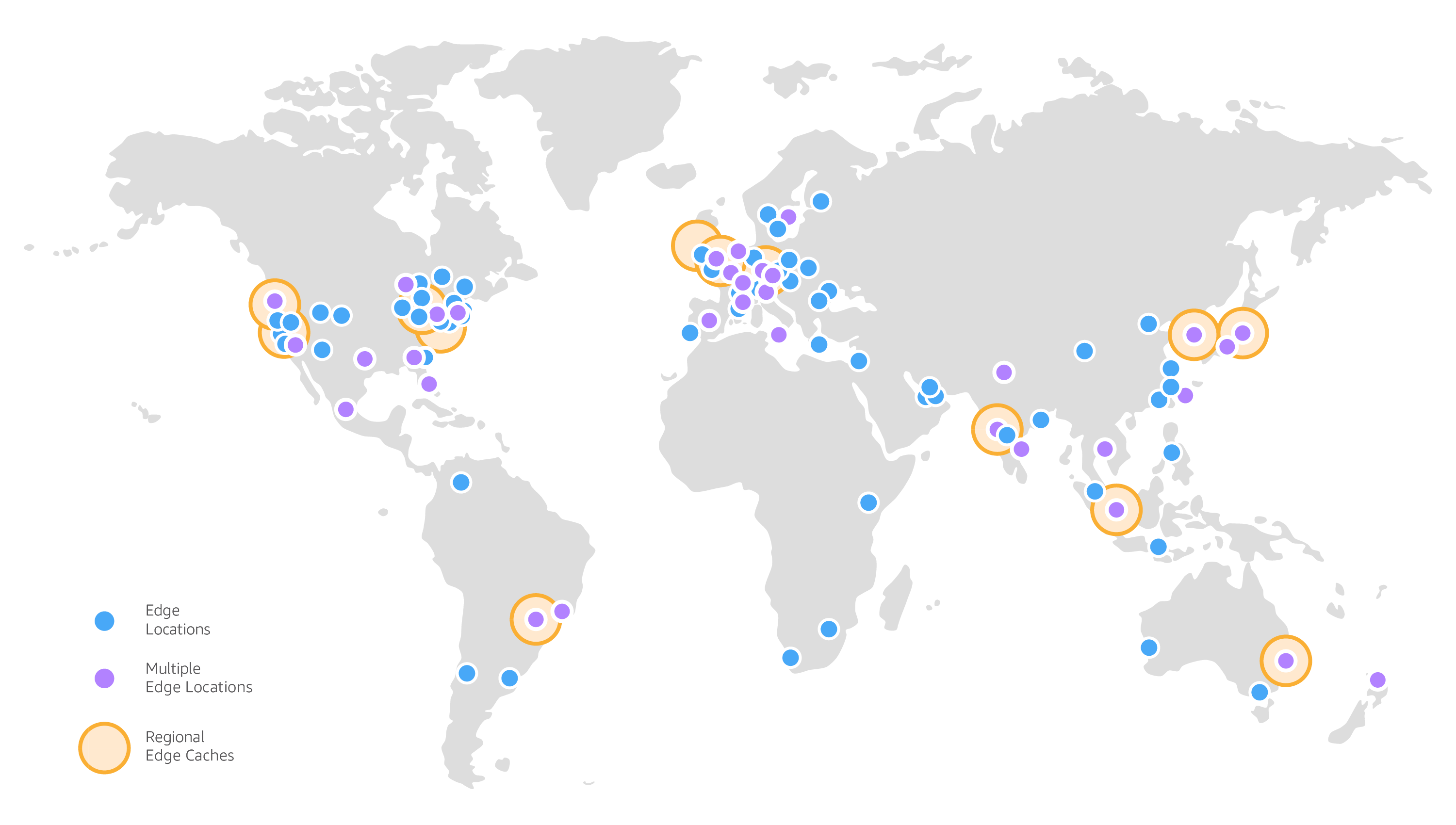
Image from https://aws.amazon.com/cloudfront/features
However this is easily done for static content, but for dynamic content there is [Lambda@Edge](https://aws.amazon.com/lambda/edge/). This is a feature from CloudFront where it uses *Lambda@Edge* to execute based on CloudFront's events and this takes care of scalability with high availability. *Lambda@Edge* is used for various purposes -
+ Website Security and privacy
+ Dynamic Web apps
+ Search Engine Optimisation (SEO)
+ Routing and re-routing
+ User tracking and analytics
*Lambda@Edge* is executed in the nearest AWS regional edge cache.
#### CloudFront Functions
While *Lambda@Edge* enables faster and running code near to the user, CloudFront functions enables using light weight JavaScript functions directly in edge location. This is cheaper than *Lambda@Edge* and also faster as this is executed at the edge location itself.
```JavaScript
function handler(event) {
// NOTE: This example function is for a viewer request event trigger.
// Choose viewer request for event trigger when you associate this function with a distribution.
console.log(JSON.stringify(event,null,2))
var response = {
statusCode: 200,
statusDescription: 'OK',
headers: {
'cloudfront-functions': { value: 'generated-by-CloudFront-Functions' }
}
};
return response;
}
```
Similar to the AWS Lambda functions console experience but you can also test out the functions before deploying them and associating with a CloudFront distribution.
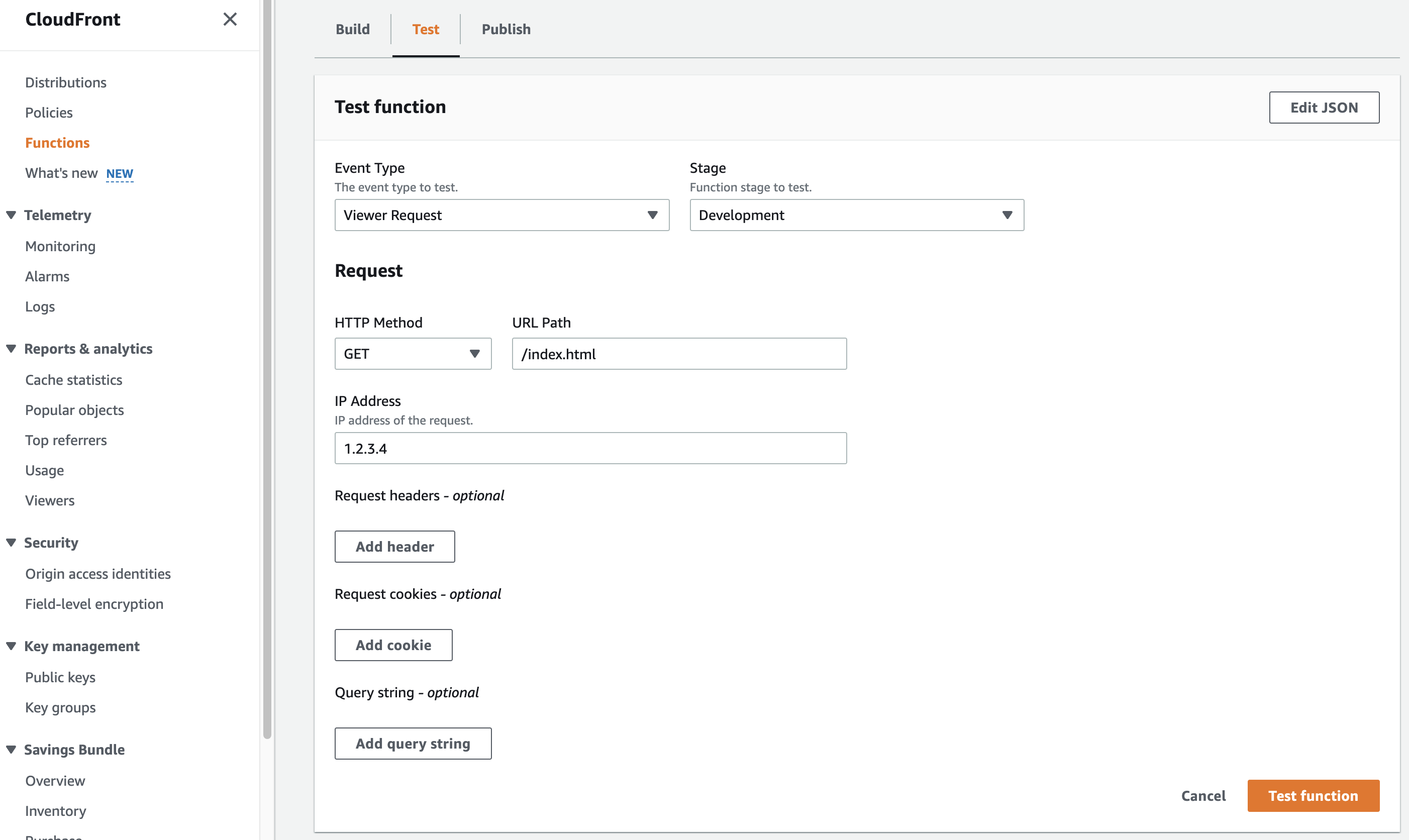
Making it easier to test with different requests.
Common use-cases for CloudFront functions are -
+ URL re-write and re-directions
+ Cache manipulations
+ HTTP header manipulations
+ Authorization
#### Power of distributions and origins
When we are talking about *CloudFront distributions*, each of these distribution is routed to an *origin*. *Origins* are the content which is been served over the distribution. Currently CloudFront supports multiple origins such as -
+ Amazon S3
+ Amazon ELB
+ Amazon Mediastore Container
+ Amazon Mediapackage Container
Of these, *Amazon S3* is the most popular one where the static web hosting of S3 is served securely with *Amazon CloudFront*. Even [Amplify CLI with the *hosting* category](https://dev.to/zachjonesnoel/amplify-your-web-hosting-3g4a) provides an option of *S3 + CloudFront*.
The ease of defining access controls with respect to what protocol and HTTP methods are allowed. The regex patter is also supported for enforcing needed cache policy for matching request URI pattern.
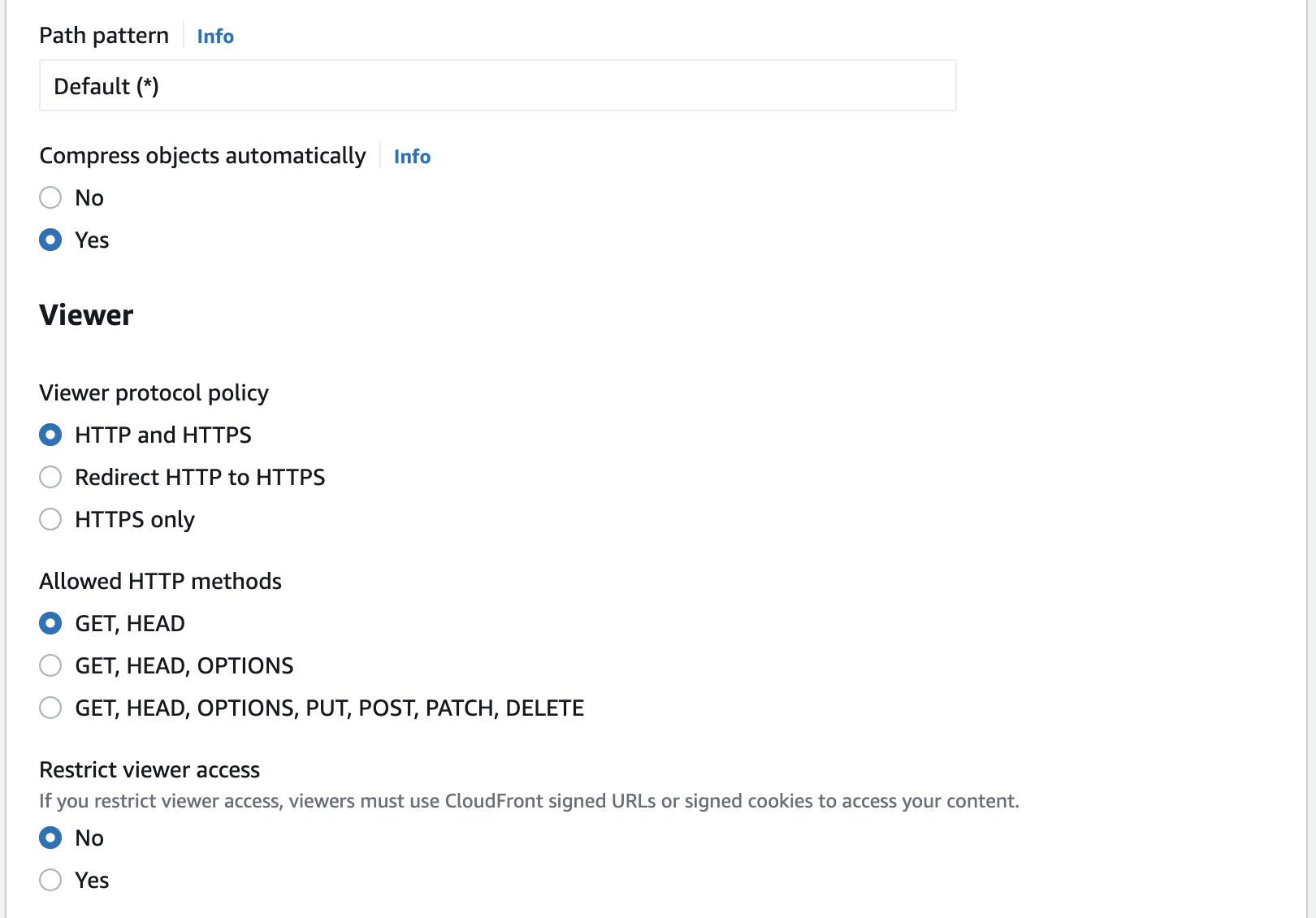
With each of the distribution we can define the cache behaviour so that we can enhance the performance.
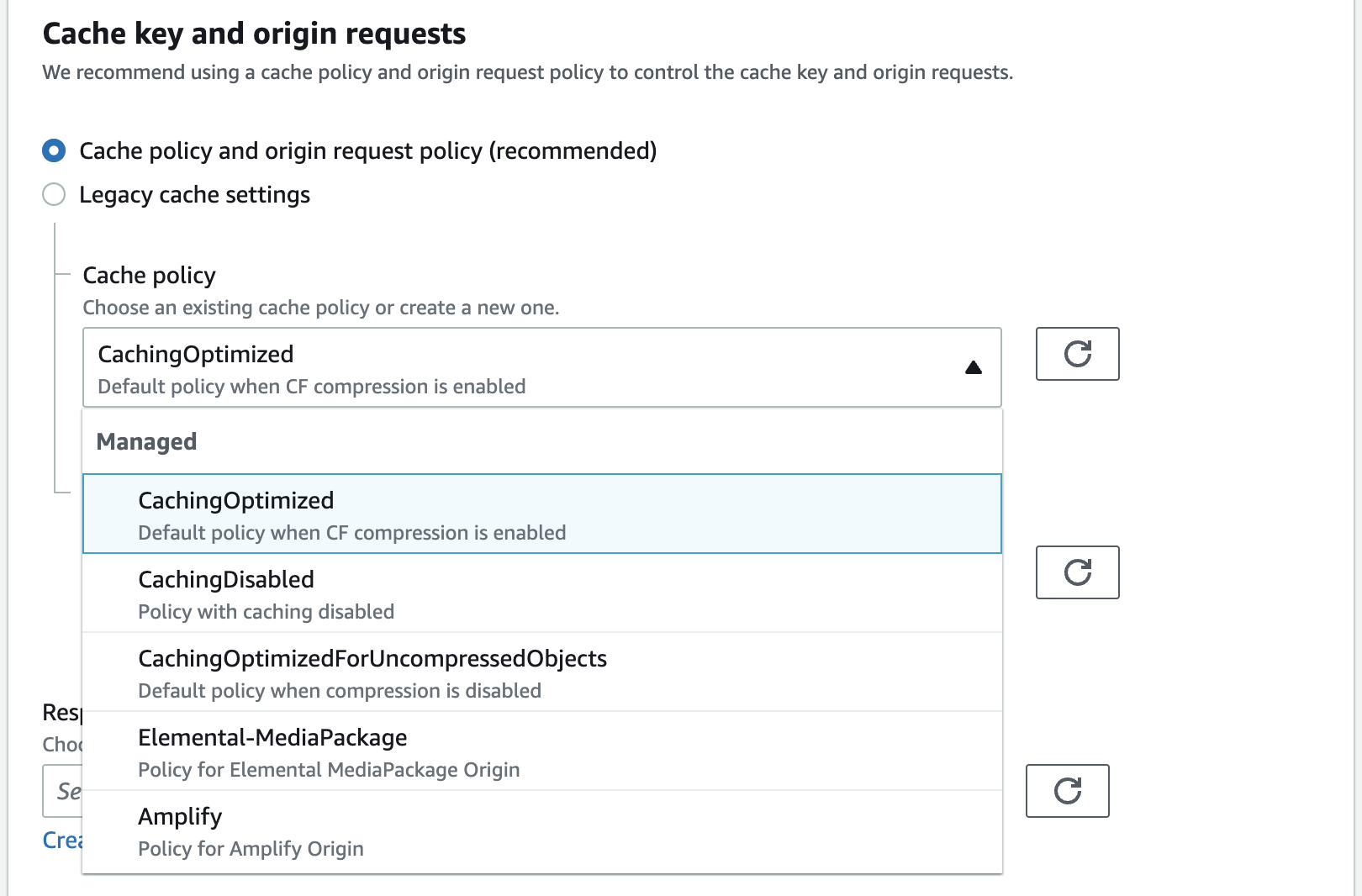
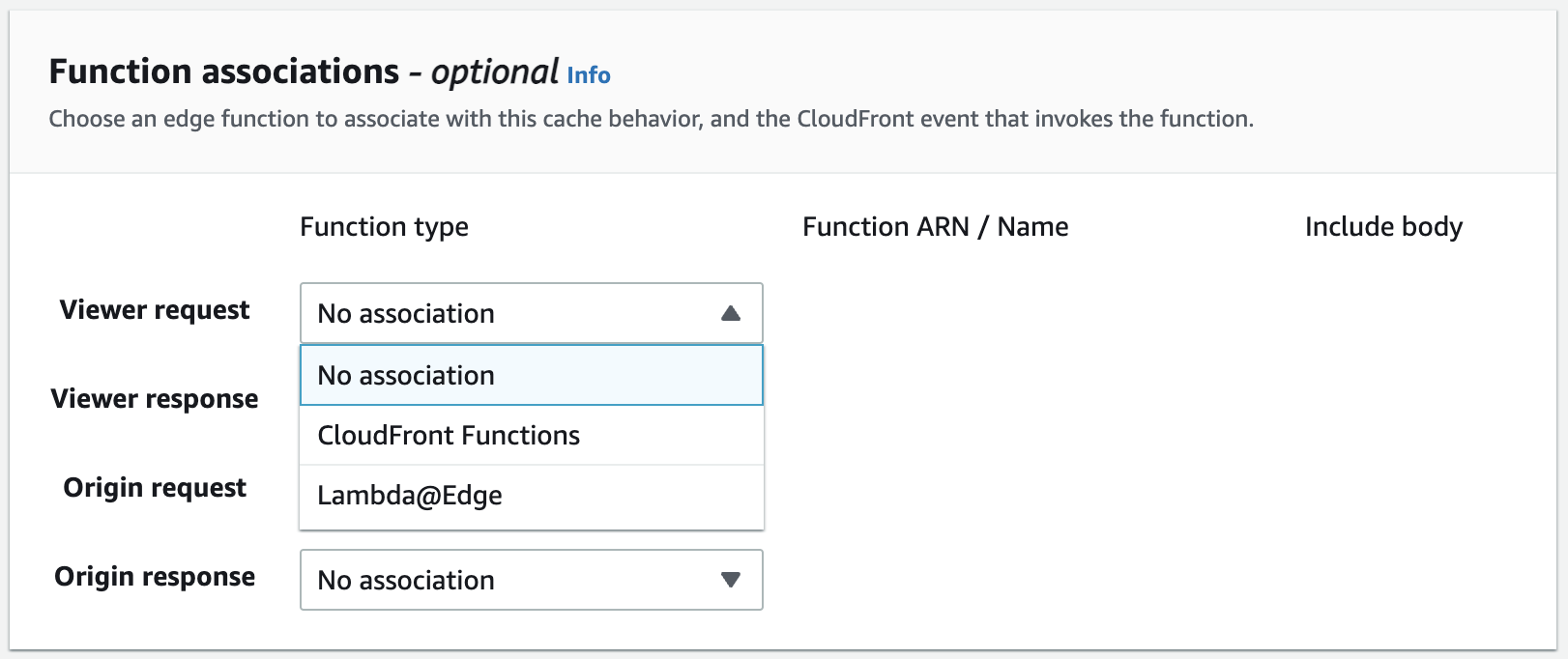
Earlier we spoke about *Lambda@Edge* and *CloudFront Functions*, these are associated with either viewer or origin request-response.
The *CloudFront distributions* are not every reader-friendly URLs and for ensuring you have a good reader-friendly custom domain, you can re-route them to this distribution using `CNAME` records and alternatively if you have your custom domain and it's associated SSL certificate, you can use the same by mapping the *SSL certificate* on [AWS Certificate Manager](https://aws.amazon.com/certificate-manager/).
*CloudFront* connects well with [Amazon Route53](https://aws.amazon.com/route53) where you can manage your domain with the domain been served from a *CloudFront distribution*.
#### Geo restrictions
If the content you are server over *CloudFront distributions* have to be geographically restricted to users, then with *CloudFront* helps with detecting the origin (request's actual origin and not CloudFront origin) and if any geo restriction rules are matched with request's origin then they can be blocked or granted access.
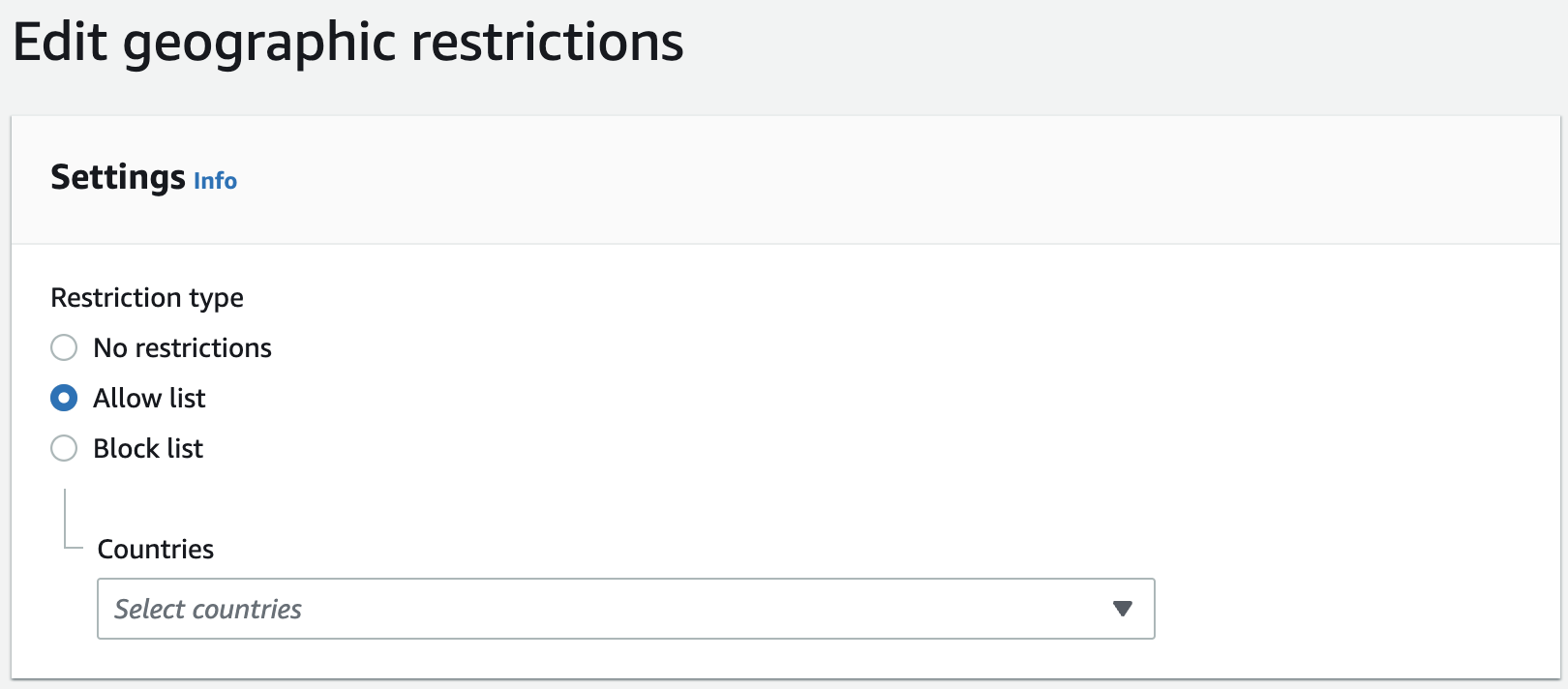
You can not only access can be blocked for specific countries, you can also allow only for specific countries.

If you have geo-restrictions set, you can save more on *CloudFront* billing by choosing the right regions of *Edge Locations* where the content can be cached.
#### Monitoring and reports
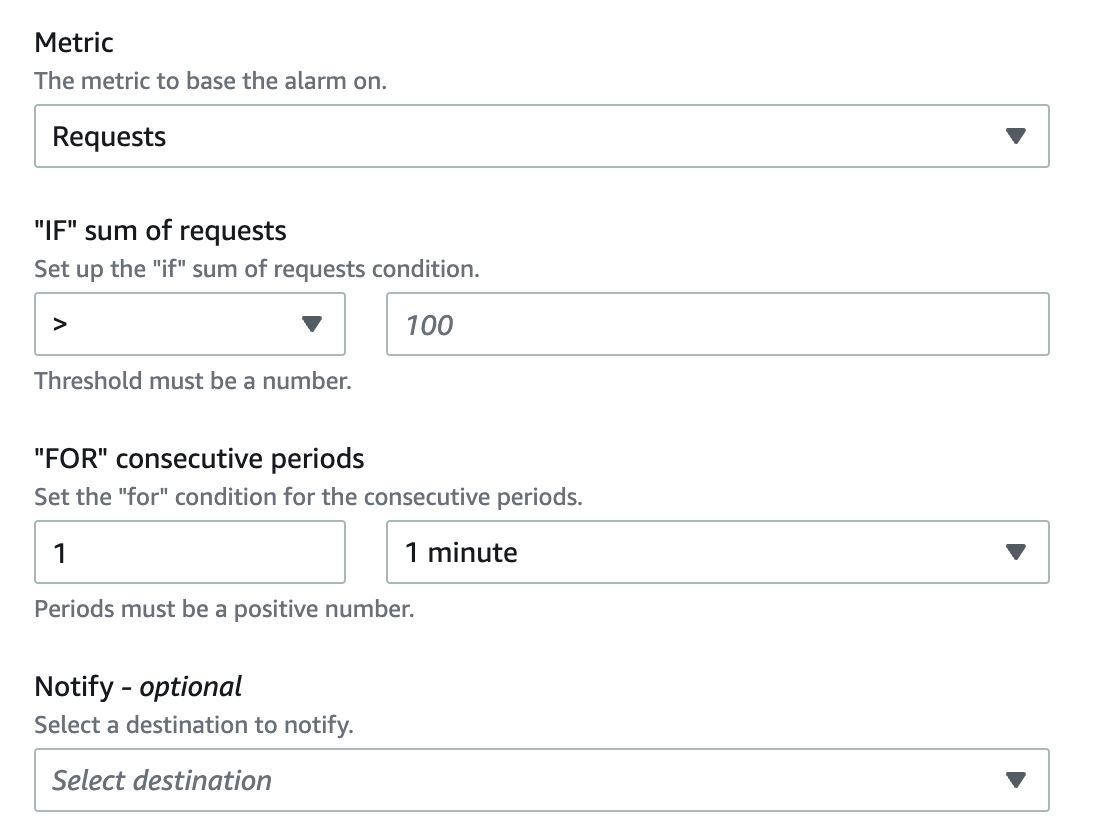
CloudFront not only helps with content delivery network but it features some fantastic monitoring and report capabilities. We can set alarms to each of the distribution when the requests are crossing a threshold and use [Amazon SNS](https://aws.amazon.com/sns/)' *topic* as the destination for notification.
*CloudFront* supports logging and these are logged on [Amazon CloudWatch](https://aws.amazon.com/cloudwatch/) making all the logs and metric dashboard with requests and responses easy to interpret.
CloudFront capture different request origin details which makes the traffic details for your distribution presentable in form of viewers by device / location / operating system / browser.
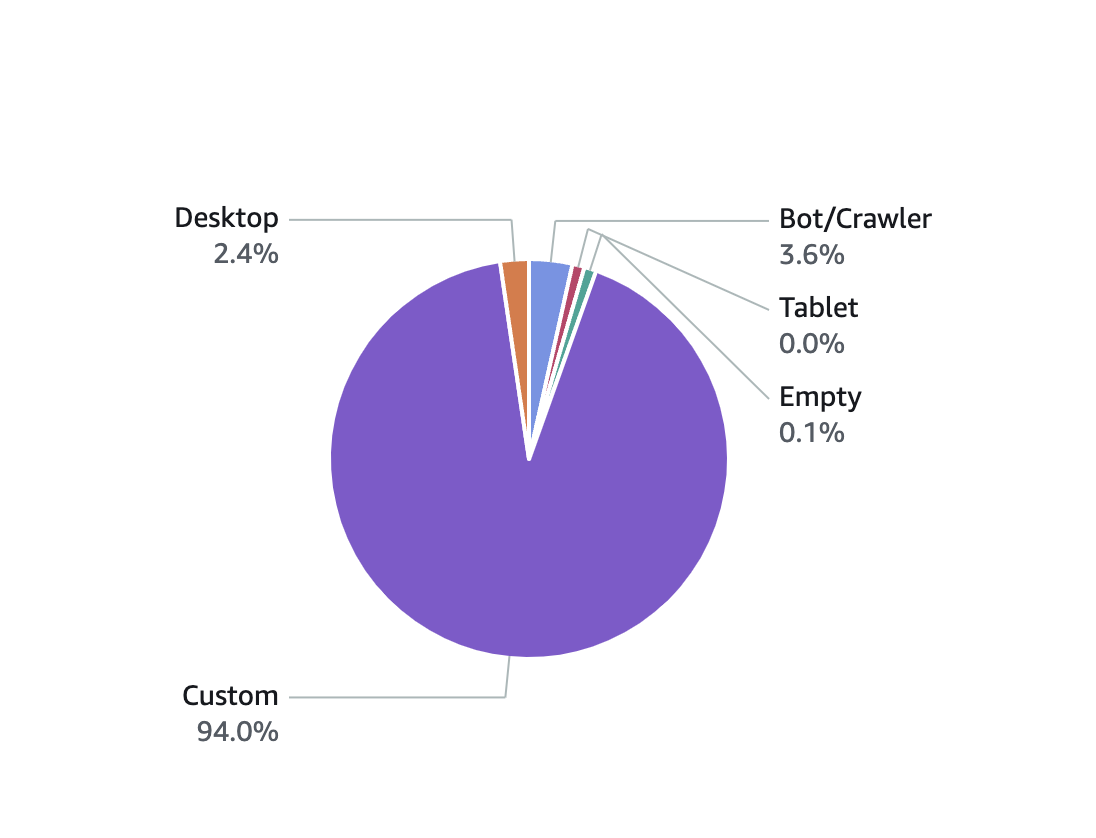
Or even reports on your *top referrers*, *cache statistics* and *popular objects* which have been requested more!
#### Conclusion
This is really an important AWS service to include in your tech stack where you can not only improve the performance by reducing latency but also do more things with geo-restrictions and reports.